


Clinical 3D anatomy software
Posture and alignment, made visible.
Explain structural alignment, posture compensation, and patient-specific movement patterns through a calm visual workspace built for the consult room, with no software installs required.
Alignment viewsPosture compensationAny browser
Why it matters
Patients remember the anatomy they can see.
Upper cervical findings often live in measurements, angles, and compensation patterns. SpinoLens turns those details into a precise visual explanation while keeping the provider in control of clinical interpretation.
Explain without overloading
Use focused views instead of asking patients to imagine subtle three-dimensional relationships.
Show the whole pattern
Connect upper-cervical movement, skull relationship, cord context, and full-body posture compensation.
Send a calm takeaway
Give patients a branded read-only model and education report they can revisit after the visit.
Clinical workflow
From clinical values to a visual explanation.
Three connected steps: set the view, explain the pattern, and send a patient-safe viewer.
01Clinical input
Set the view
Enter alignment values and adjust rotation, tilt, flexion, lateral shift, anterior shift, posture, layers, and camera views.
02Visual consult
Explain the pattern
Move from raw values to focused anatomy, cord, posture, and compensation views patients can follow in the room.
03Patient handoff
Send the viewer
Create a read-only, clinic-branded patient viewer patients can open from any browser without installing software.
Doctor-led education
The consult stays human.
SpinoLens gives the doctor a precise instrument without turning the visit into a technical lecture. Advanced values stay available, while the explanation can be simplified into the view the patient needs in that moment.
Doctor workspace
Clinical values remain visible to the provider.
Rotation10.0 degTop-down C1/C2 explanation
Tilt-8.5 degSide-bending relationship
Flexion3.5 degNod angle and sagittal context
Shift1.0 mmLateral glide and compensation
Product states
One model, three clinical moments.
Use the same browser-based product surface for provider control, in-room explanation, and read-only patient follow-up.
Doctor Workspace
Values, layers, alignment lines, and reports stay in the clinical control surface.
Best for entering values, reviewing anatomy, setting camera views, creating reports, and preparing patient-safe links.
- Advanced controls stay with the provider
- Built for repeated consult room use
Explanation View
Focused scenes remove clutter and keep attention on the pattern being explained.
Use consult scenes to show curvature, C1/C2 rotation, upper-cervical misalignment, and global posture compensation.
- Simplified scenes for patient conversation
- Guided posture and alignment moments
Patient Viewer
A simplified viewer patients can open at home without creating an account or installing an app.
Advanced tools are hidden, values are not exposed in the URL, and the viewer works in a browser on phone, tablet, or PC.
- Read-only, browser-based follow-up
- Clinic branding stays present
Guided consult suite
Four scenes built around the visit.
Consult mode clears away workspace clutter and walks through the anatomical moments that matter most for upper-cervical patient education.
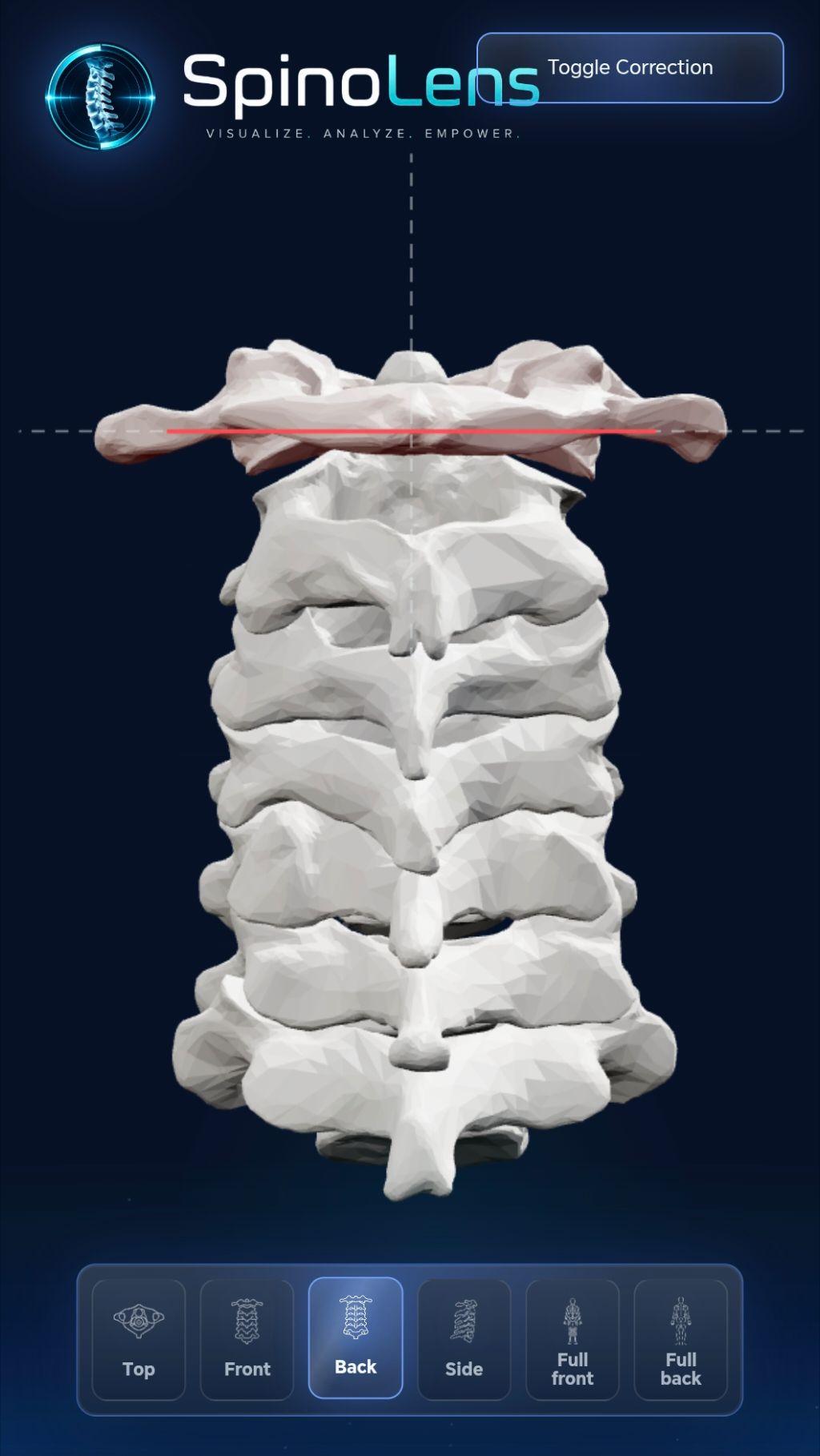
Upper-cervical misalignmentRear-view patterns with live alignment guides
Curvature loss
Side-profile phases walk through progressive cervical lordosis with the model and view already set for the conversation.
C1/C2 rotation
Top-down upper-cervical animation shows rotation, cord context, and why small degrees can matter in patient education.
Misalignment patterns
Rear-view alignment guides compare upper-cervical lean types with selectable animated patterns.
Posture and correction
Full-body compensation patterns and correction demos connect cervical mechanics to visible posture changes.
Global posture patternsFull-body compensation patients can see in the room
Consult mode is educational only and hides advanced workspace controls during the visit. SpinoLens does not diagnose, treat, or guarantee outcomes.
Patient follow-up
Send a calm, read-only visual takeaway.
The patient viewer turns the appointment explanation into a secure follow-up moment: no patient account, no installs, simplified controls, clinic branding, and no clinical values exposed in the link URL.
- No patient account required
- No software install or app download
- Open from any modern browser on phone, tablet, or PC
- Read-only patient experience
- Clinic logo, colors, and organization name
- Tokenized share flow with revocation support
Values, layers, reports, and advanced controls stay with the clinic user.
The clinic creates or revokes tokenized patient links from an active subscription.
Logo, organization name, theme, and patient-safe views travel with the link.
Patients open a simple read-only model from a browser on phone, tablet, or PC.

 Top
Top Front
Front Side
Side Full front
 Full back
Built for clinics
Clinical visualization without public-dashboard clutter.
Education-first by design
The site, workspace, reports, and patient viewer are written around provider-led interpretation.
Clinic workflow, not consumer accounts
Access, branding, teams, patient links, and billing are organized around clinic organizations.
Premium anatomical assets
Existing video and 3D anatomy assets carry the public site instead of generic dashboard mockups.
Clinic subscription
One plan for the visual consult workflow.
One subscription unlocks the doctor workspace, 3D anatomy visualization, patient-safe share links, clinic branding, education reports, and up to five clinic user licenses.
No installsUse SpinoLens in a modern browser on phone, tablet, or PC.
5 clinic usersOne subscription covers the core team under one organization.
Patient follow-upSend read-only branded viewer links after the consult.
Guided consultsUse focused scenes for posture, alignment, and explanation.
Clinic SubscriptionLimited time offer
SpinoLens Clinic
$150 USD/month50% off
$75 USD/ month
Use codeFOUNDER50
Free for 7 days. Cancel anytime. Billing starts after the trial.
Founding clinics get 50% off the $150 USD/month clinic plan for 12 months.
One subscription per clinic organization. Up to 5 licenses included.
- Doctor workspace
- 3D anatomy visualization
- Browser-based access
- Patient-safe share links
- Clinic-branded patient viewer
- Education reports
- Guided consult suite
- Stripe-managed billing
- Organization access
FAQ
Questions clinics usually ask.
Who is SpinoLens for?
SpinoLens is built for upper cervical, NUCCA, posture-oriented, and alignment-focused clinics that want a clearer way to explain anatomical mechanics during patient education.
Is SpinoLens a diagnostic tool?
No. SpinoLens is an education and visualization tool. It does not diagnose, treat, or guarantee medical outcomes, and it should be interpreted by the provider.
Do patients need an account?
No. Patient viewer links open a simplified read-only experience, so patients can review the educational model without creating an account.
Do we need to install software?
No. SpinoLens is browser-based. Clinic users and patients can access the appropriate view from a modern browser on a phone, tablet, or PC.
Are patient links secure?
Patient links use bearer tokens, resolve values through a server call, and avoid placing clinical values in the URL. Clinics should still send links through their approved patient communication channel.
Can reports be clinic-branded?
Yes. The workspace supports organization branding so patient-facing views and report surfaces can feel connected to the clinic.
How does billing work?
Billing is managed through Stripe. Free for 7 days. Cancel anytime. Billing starts after the trial. The clinic plan is $150 USD/month. For a limited time, founding clinics can use code FOUNDER50 at checkout for 50% off, bringing the first 12 months to $75 USD/month. One subscription unlocks the workspace for the clinic organization, with up to five licenses included.
 SpinoLens
Show patients what their posture and alignment mean.
Give your clinic a premium browser-based 3D anatomy workspace for consults, reports, and follow-up.